
Driving without a functional dashboard screen feels lonely and frustrating. If the illumination fades, someone loses access to navigation maps and music settings. This guide explores common reasons behind this sudden electronic glitch.
Many drivers face issues where the car radio display not working prevents them from adjusting volume or seeing stations. Often, simple wiring faults or blown fuses cause these common failures. Identifying the root cause helps you fix car radio display problems quickly.
Using professional diagnostic steps ensures your vehicle stays in top shape. Reliable electronics improve your daily commute significantly. We provide clear instructions for every skill level.
Our comprehensive walkthrough covers everything from basic resets plus hardware inspections. We aim for helping you regain full control over your vehicle’s entertainment system. Avoid expensive dealer visits by performing these inspections yourself.
Key Takeaways
- Check the interior fuse box for any blown electrical components first.
- Attempt a soft reset of the head unit software through the settings menu.
- Inspect the brightness and contrast settings which might be set too low.
- Verify the vehicle battery voltage to ensure consistent power delivery.
- Look for loose wiring or disconnected cables behind the dashboard panel.
- Clean the screen surfaces for potential touch sensitivity or visibility issues.
Common Causes of Car Radio Display Failure
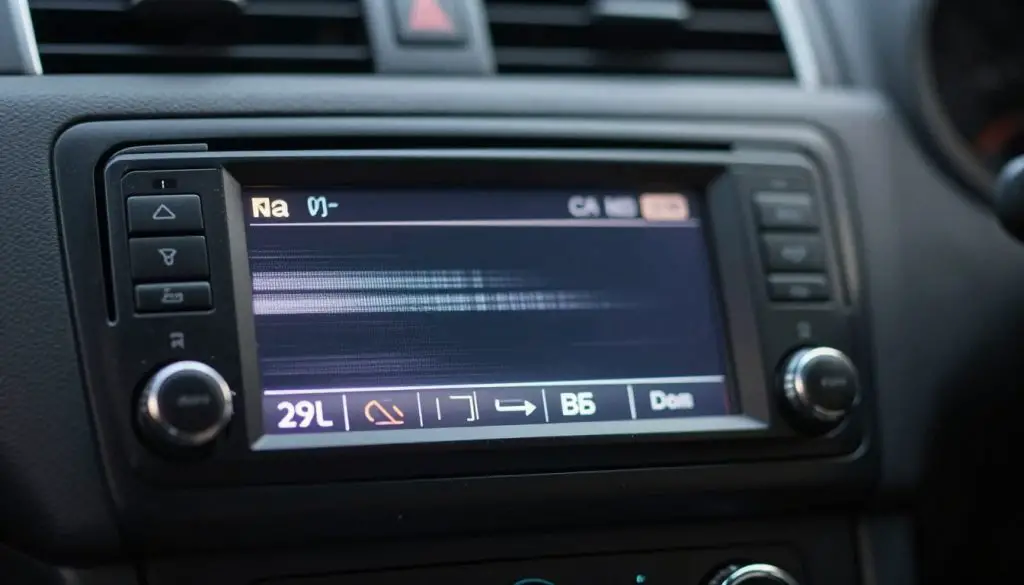
When your car radio display fails to work, it’s essential to identify the root cause to apply the correct fix. A non-functional display can be due to various reasons, ranging from simple issues like blown fuses or incorrect dimmer settings to more complex problems such as wiring faults or display component failure.
Blown Fuses
One of the most common causes of car radio display failure is a blown fuse. Fuses are designed to protect electrical components from damage caused by excessive current. When a fuse blows, it interrupts the power supply to the radio, causing it to malfunction or not turn on at all. Checking and replacing blown fuses is a straightforward process that can often resolve the issue.
Dimmer Settings Set Too Low or Turned Off
Another common reason for a non-functional car radio display is the dimmer settings being set too low or turned off. Modern car radios often come with adjustable brightness settings to accommodate different lighting conditions. If the dimmer is set too low or turned off, the display may appear black or not be visible, giving the impression that it’s not working.
Loose or Corroded Wiring Connections
Loose or corroded wiring connections can also cause car radio display failure. Over time, wiring connections can become loose due to vibrations or corrode due to exposure to moisture. This can disrupt the electrical signal to the radio, leading to display issues. Inspecting and cleaning or tightening these connections can often resolve the problem.
Failed LCD or LED Display Components
In some cases, the car radio display may fail due to a hardware issue, such as a failed LCD or LED display component. These components can fail over time due to wear and tear or manufacturing defects. Diagnosing a failed display component requires a closer inspection and may involve testing the display with a different source or replacing the component altogether.
Software Glitches and System Errors
Software glitches and system errors can also cause car radio display failure. Modern car radios rely on complex software to operate, and sometimes, these systems can encounter errors or glitches that affect the display. Resetting the radio or updating the software can often resolve these issues.
Why Is My Car Radio Display Not Working? Ways to Fix It
Diagnosing a car radio display that is not working involves a series of simple checks that can help identify the root cause. Before diving into complex repairs, it’s essential to follow a systematic troubleshooting process.
Performing Initial Visual Inspection
The first step in troubleshooting your car radio display is to perform a visual inspection. Check the display for any signs of physical damage, such as cracks or broken glass.
Ensure that the display is properly connected and that there are no loose wires or connections.
Testing If Audio Still Functions
Even if the display is not working, the audio might still be functional. Test the radio by playing music or a radio station.
If the audio works, it indicates that the issue is likely related to the display or its associated components rather than the radio unit as a whole.
Checking for Error Messages or Partial Display
Sometimes, the display may not be completely dark but instead shows error messages or partial information.
Check if there are any error messages or if parts of the display are still functioning. This can provide clues about the nature of the problem.
Determining the Scope of the Problem
Based on the observations from the previous steps, determine the scope of the problem.
Is it related to the display itself, the wiring, or perhaps a software issue? Understanding the scope will guide the next steps in the repair process.
| Symptom | Potential Cause |
|---|---|
| No display, audio works | Display or backlight failure |
| No display, no audio | Power issue, blown fuse, or wiring problem |
| Partial display or error messages | Software glitch or display component failure |
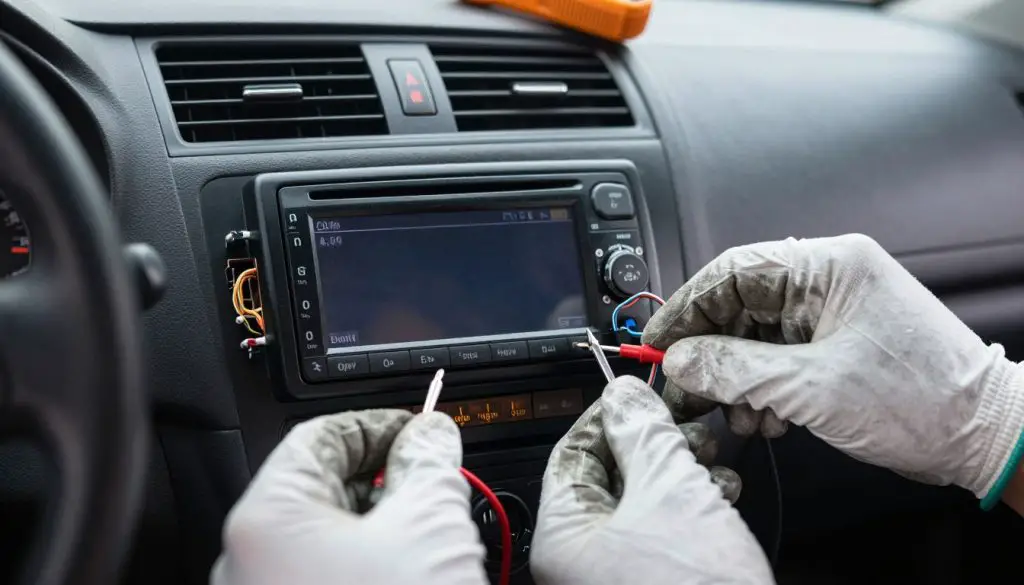
By following these steps, you can effectively diagnose and potentially fix issues with your car radio display. Remember to consult your vehicle’s manual or seek professional help if you’re unsure about any part of the process.
Checking and Replacing Blown Fuses
One common reason for a non-responsive car radio display is a blown fuse that needs to be checked and potentially replaced. A blown fuse can occur due to various reasons such as electrical surges or short circuits. Checking and replacing a blown fuse is a relatively simple process that can potentially resolve the issue with your car radio display.
Locating Your Vehicle’s Fuse Box
The first step in checking for a blown fuse is to locate your vehicle’s fuse box. Most vehicles have more than one fuse box, so it’s essential to identify the correct one that controls the car radio.
Finding the Interior Fuse Panel
The interior fuse panel is often located under the dashboard or in the glove compartment. You may need to consult your vehicle’s documentation or look for a label on the fuse box cover to identify the correct fuse related to the car radio.
Consulting Your Owner’s Manual
If you’re having trouble finding the fuse box or identifying the correct fuse, refer to your owner’s manual. It should provide detailed information on the location of the fuse boxes and the fuses they contain.
Identifying the Correct Radio Fuse
Once you’ve located the fuse box, you need to identify the fuse associated with your car radio. The owner’s manual or a diagram on the fuse box cover can help you determine which fuse is for the radio.
| Fuse Label | Description | Amperage |
|---|---|---|
| RADIO | Car Radio System | 10A |
| AUDIO | Audio Accessories | 15A |
| ACC | Accessory Power | 20A |
Testing the Fuse for Continuity
To check if a fuse is blown, you can use a multimeter to test for continuity. Remove the fuse from the fuse box and set your multimeter to the continuity test mode. If the fuse is good, the multimeter should beep, indicating continuity.
Replacing a Blown Fuse with the Correct Amperage
If you find that the fuse is blown, it’s crucial to replace it with a new fuse of the same amperage rating. Using a fuse with a different amperage can lead to further electrical issues or even a fire hazard. Ensure you dispose of the blown fuse properly and securely install the new one.
Key Steps to Remember:
- Locate the correct fuse box and identify the radio fuse.
- Test the fuse for continuity using a multimeter.
- Replace a blown fuse with one of the same amperage rating.
Adjusting Display Settings and Dimmer Controls
Adjusting the display settings and dimmer controls can often resolve the issue with your car radio display not working. These settings can sometimes be overlooked, leading to unnecessary troubleshooting steps.
Locating the Dimmer Switch in Your Vehicle
The dimmer switch is typically found on the dashboard or on the steering column. It’s used to adjust the brightness of the dashboard lights, including the radio display. To locate it, look for a knob or button labeled “Dimmer” or with a symbol representing brightness.
Adjusting Brightness Levels Step by Step
To adjust the brightness levels:
- First, ensure your vehicle’s headlights are turned off to get an accurate reading of the display brightness.
- Next, locate the dimmer switch and turn it clockwise or counterclockwise to adjust the brightness.
- Check if the radio display becomes visible or brighter as you adjust the dimmer switch.
Checking Dashboard Illumination Settings
Sometimes, the issue might not be with the radio itself but with the dashboard illumination settings. Check your vehicle’s settings menu to ensure that the dashboard illumination is not set too low or turned off. For specific instructions, refer to your vehicle’s owner’s manual.
If you’re having trouble finding the settings, you can also check online resources or forums related to your vehicle’s make and model. For instance, if you own a Honda Pilot, you can learn how to reset the radio, which might also involve adjusting the display settings.
Resetting the Radio to Factory Settings
If adjusting the display settings and dimmer controls doesn’t work, try resetting the radio to its factory settings. This process varies by manufacturer, so consult your owner’s manual or contact a dealership for specific instructions.
Resetting the radio can resolve software glitches that might be causing the display issue. Be aware that resetting will erase saved stations and settings, so be prepared to reconfigure your radio afterward.
Addressing Wiring and Connection Issues
Wiring and connection problems are common culprits behind a malfunctioning car radio display. To diagnose and potentially fix the issue, it’s crucial to inspect the wiring and connections thoroughly.
Gathering Necessary Tools for Radio Removal
Before you start, ensure you have the necessary tools to remove the radio unit safely. These typically include a set of screwdrivers, radio removal keys or tools, and possibly a trim removal kit.
- Screwdrivers (flathead and Phillips)
- Radio removal keys or tools
- Trim removal kit
- Multimeter (for checking continuity)
Safely Removing the Radio Unit from the Dashboard
Removing the radio unit requires care to avoid damaging the dashboard or the radio itself.
Disconnecting the Battery
First, disconnect the battery to prevent any accidental power surges or electrical shocks.
Using Radio Removal Keys or Tools
Next, use radio removal keys or tools to release the radio from its mounting. These tools are designed to fit into the small gaps around the radio and release the clips holding it in place.
Inspecting the Wiring Harness and Connectors
Once the radio is removed, inspect the wiring harness and connectors for any signs of damage, corrosion, or wear.
- Check for frayed or cut wires
- Look for corrosion on the connectors
- Verify that all connections are secure
Cleaning Corroded Terminals and Connections
If you find corrosion, clean the terminals and connections using a suitable cleaning solution and a soft brush. Ensure they are dry before reconnecting.
Securing Loose Connections and Reinstalling
After inspecting and cleaning the wiring and connections, secure any loose connections. Then, reinstall the radio unit, ensuring it clicks securely into place. Reconnect the battery and test the radio display.
Advanced Troubleshooting and Replacement Options
When basic troubleshooting steps fail to resolve the issue with your car radio display, it’s time to consider advanced troubleshooting and replacement options. At this stage, you’re likely dealing with a more complex problem that requires a deeper dive into the radio’s functionality and potentially replacing the unit altogether.
Testing the Radio in Another Vehicle
One effective way to diagnose whether the issue lies with the radio unit itself or the vehicle’s electrical system is to test the radio in another vehicle. This step can help determine if the problem is with the radio or the car’s wiring and connections.
To do this, you’ll need to carefully remove the radio from your current vehicle and install it in another compatible vehicle. If the radio functions properly in the other vehicle, it suggests the issue is with your original vehicle’s electrical system or wiring. Conversely, if the problem persists, it’s likely the radio unit is faulty.
Considering Internal Display Component Failure
If testing the radio in another vehicle indicates the issue is with the radio itself, it’s possible that there’s an internal display component failure. The display component could be damaged or malfunctioning, leading to the display not working.
Common internal issues include:
- Failed LCD or LED components
- Faulty backlight
- Damaged display circuitry
In such cases, repairing or replacing the internal components might be necessary.
Evaluating Repair Versus Replacement Costs
When faced with a faulty car radio, one of the critical decisions is whether to repair or replace it. The cost of repair versus replacement is a significant factor in this decision.
| Action | Cost | Considerations |
|---|---|---|
| Repair | $50-$200 | Labor costs, parts availability |
| Replacement | $100-$500 | Cost of new unit, installation costs |
As shown in the table, the cost can vary widely depending on whether you choose to repair or replace the radio. For older vehicles, replacement might be more cost-effective, especially if the repair requires rare or expensive parts.
For more complex infotainment systems, like those found in modern Toyotas, troubleshooting steps might be more involved. You can refer to guides like resetting your Toyota’s infotainment screen for specific troubleshooting steps.
Selecting a Compatible Replacement Radio
If you decide that replacing the radio is the best course of action, selecting a compatible replacement is crucial. Ensure the new radio is compatible with your vehicle’s make, model, and year. Consider factors such as the radio’s features, size, and connectivity options.
When choosing a replacement radio, it’s also worth considering whether you want to upgrade to a more advanced unit with features like touchscreen functionality, Bluetooth connectivity, or navigation.
Conclusion
Resolving issues with a non-working car radio display can be achieved through a systematic approach to troubleshooting. By understanding the common causes of car radio display failure, such as blown fuses, dimmer settings, loose wiring connections, and software glitches, you can effectively diagnose the problem.
A thorough troubleshooting summary involves checking and replacing blown fuses, adjusting display settings, addressing wiring and connection issues, and considering advanced repair or replacement options. By following these steps, you can identify and potentially fix the issue with your car radio display.
For car radio display repair, it’s essential to be methodical in your approach, ensuring that you inspect all potential causes and apply the appropriate fixes. This not only saves time but also helps in avoiding unnecessary expenses.
By applying the steps outlined in this article, you should be able to resolve the issue with your car radio display and enjoy uninterrupted entertainment and information on the road.
FAQ
Can a single blown fuse cause the radio display to stop working while the audio still plays?
Yes, it is quite common. Many vehicles, such as the Ford F-150 or Toyota Camry, utilize separate circuits for different radio functions. A specific fuse may control the LCD backlight or the display’s power supply, while a different fuse handles the internal amplifier. You should consult your Owner’s Manual to locate the interior fuse panel and identify the exact fuse responsible for the display illumination.
How do I determine if my dimmer settings are the reason the screen looks black?
Modern infotainment systems in cars like the Honda Civic or Chevrolet Silverado are integrated with the vehicle’s dashboard illumination settings. If the dimmer switch—usually a dial or a button near the steering column—is turned to the lowest setting, the radio display may appear non-functional, especially in daylight. Check the instrument cluster brightness and navigate to the “Display” or “Brightness” section within the radio’s system settings to ensure brightness levels are turned up.
What are the signs that my radio has a software glitch rather than a hardware failure?
If your display is frozen, flickering, or showing partial error messages, it is likely a software glitch. Before seeking a replacement, try resetting the radio to factory settings. If the screen is completely unresponsive, you can perform a “hard reset” by safely disconnecting the car battery for approximately ten minutes, which clears the temporary memory of the head unit.
Is it difficult to check for loose or corroded wiring connections behind the dashboard?
It requires patience and the right equipment. To avoid damaging the trim, use radio removal keys or specialized plastic pry tools. Once you have removed the unit, inspect the wiring harness and the plastic connectors. Look for corroded terminals—which often appear as a white or green crust—and clean them with electronic cleaner. Ensure the ground wire is securely fastened to the vehicle’s metal chassis, as a weak ground is a frequent cause of display failure.
Can a failed LCD or LED display component be repaired, or do I need a full replacement?
While specialized shops can sometimes replace an internal LCD panel or LED backlight strip, the labor costs often exceed the value of the unit. If you are using an older factory radio, it is frequently more cost-effective to upgrade to a compatible replacement radio from brands like Pioneer, Sony, or Alpine. These aftermarket units often provide modern features like Apple CarPlay and Android Auto while resolving the hardware failure.
How can I use a multimeter to troubleshoot my car radio display?
A Fluke multimeter is an essential tool for testing the fuse for continuity and checking for power at the harness. Set the device to DC voltage and probe the “constant” and “switched” power wires in the wiring harness. If the multimeter shows 12 volts reaching the radio but the display remains dark, the problem is almost certainly an internal display component failure within the head unit itself.