
The oil life percentage shows when your vehicle needs service and helps track engine care between visits. Many drivers in the United States reset this indicator after routine service so the system can count down correctly for the next interval.
This short guide focuses on resetting the oil life reminder so the maintenance system reflects recent work. Steps vary by model year and display type, but the article centers on common Maintenance Minder behavior.
Key outcomes you want are clear: the gauge returns to 100%, the maintenance light reads correctly, and future reminders appear at the right time. Remember, a reset does not replace an actual oil change. Do the service first, then clear the indicator.
Preview of the basic workflow: turn the ignition on without starting, navigate the display, press and hold the button, select reset, then confirm. If the reset function won’t take, the article will cover common mistakes and quick checks to get things working.
Key Takeaways
- Oil life percentage tracks service intervals and needs resetting after maintenance.
- Resetting ensures accurate future reminders but never replaces service.
- Steps vary by year and display; most use the Maintenance Minder flow.
- Expected result: indicator shows 100% and the maintenance light clears.
- Troubleshooting tips follow if the reset does not accept.
What the Honda Pilot Oil Life Reminder Means and When to Reset It
The oil life readout is a calculated service indicator, not a lab test of engine oil. The display uses driving patterns, time, and miles to estimate remaining life.
Maintenance Minder applies algorithms that track stop-and-go driving, highway runs, and engine load. That makes reminders more useful than fixed-interval guesses.
Why the indicator matters
The system helps schedule service at the right moment. Accurate resets keep future reminders aligned with actual work and preserve maintenance records for ownership value.
When you should reset
Reset immediately after an oil change and filter replacement so the counter matches real service. Do not clear the indicator early; premature resets can cause missed maintenance.
Model year notes
Menu names and buttons vary by model year, so consult the owner manual for exact steps. This guide focuses on common modern displays; older or newer cars may follow a different workflow.
- Tip: Keep a service log for mileage and dates to back up dashboard reminders.
- Refer to the owner manual when in doubt about menu labels or button functions.
How to Reset Honda Pilot Oil Life Using the Maintenance Minder Display
Follow these steps to clear the maintenance reminder so the dashboard matches recent service.
Before you start: Park safely, verify the service is finished, and sit in the driver seat. Turn the key or press the start button so the ignition is ON but do not start the engine. This wakes the main display without entering ACC or running the motor.
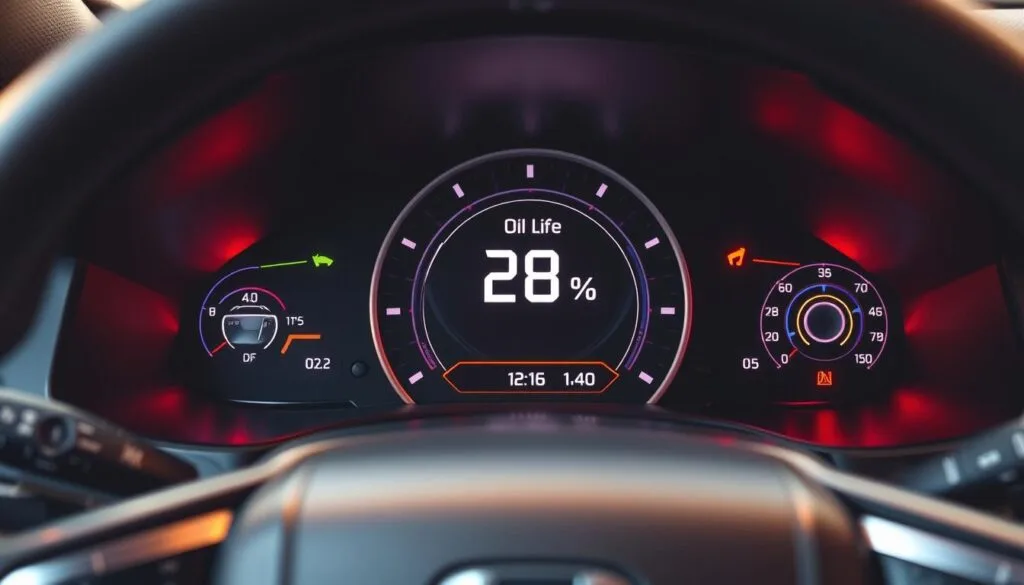
Use the steering wheel buttons to reach the dashboard display. Menu names vary by year and trim, but the process follows the same logic. Move through options until you see a screen labeled Maintenance, Oil Life, or Maintenance Minder.

Perform the reset
When the oil life screen is visible, press and hold the main reset button. Keep holding for several seconds — releasing too soon is a common cause of failure.
- Select reset when the prompt appears.
- Confirm whether you want to reset only the oil reading or all maintenance items.
- If the prompt does not show, press hold the button again for longer button seconds and retry.
Finally, verify the dashboard shows 100% oil life and that the maintenance light clears. These instructions apply to model years 2016–2022; consult your owner manual for year-specific menu names or button placement.
If the Oil Life Won’t Reset: Common Issues to Check
If the dash reminder stays on after service, check three common setup errors first. These quick checks fix most failed attempts and save time.
Wrong menu or screen: Make sure the display shows the maintenance or oil life page. Trying a reset on a different screen will not work. Consult the owner manual for the exact menu name on your car.
Button press timing: The system often needs a press-and-hold for several seconds. Tapping or releasing early stops the prompt. Hold the button the full set of seconds until the prompt appears.
Ignition position matters: ACC and ON provide different options. The correct ignition position is required for the reset maintenance function to appear.
- Confirm the maintenance light is the oil life reminder and not another service item.
- Verify an actual oil change was performed before clearing the reminder.
- If instructions differ, read the owner manual for your cluster or infotainment setup.
If repeated attempts fail, contact a Honda service department or a qualified technician to check for menu or cluster faults. Professional help can prevent missed service and confusing records.
Conclusion
Finish your service routine by clearing the dashboard so the reminder matches the work done.
Recap the steps: after an oil change, turn the ignition on, open the maintenance or oil screen, press and hold the reset control, select confirm. This short flow puts the display back at 100% and aligns future service reminders.
Accurate settings help protect the engine and keep maintenance timing consistent for your honda pilot. If you perform the change at home, clear the indicator right after you finish.
Keep a simple note with the date and mileage alongside each reset. These records aid resale and cut confusion at the next service interval.
If the light stays on or the reading won’t update, repeat the troubleshooting checks or consult the owner manual. For model-specific help, contact dealership customer support or a trusted repair shop.
FAQ
What does the oil life reminder indicate and when should it be reset?
The maintenance minder tracks engine oil condition based on engine use, mileage, and driving habits. Resetting it after an oil change keeps reminders accurate and helps prevent missed service. Reset immediately after fresh oil and filter installation to clear the maintenance light and restore the displayed percentage to 100%.
How does oil life differ from actual engine oil condition?
Oil life is an algorithmic estimate, not a lab test of the fluid. It predicts remaining service based on temperature, RPMs, and driving style. Always inspect oil level and appearance manually when changing service intervals, especially if towing or frequent short trips accelerate degradation.
Which model years use the maintenance minder display procedure described here?
The described workflow applies to many 2016–2022 models that feature the multi-information display and steering-wheel controls. Older or newer trims may use slightly different menu layouts; consult the owner manual for variations specific to a given year or infotainment design.
What should I do before starting the reset process?
Place the key in the accessory or run position without starting the engine, or press the start button twice with your foot off the brake. Ensure the display is powered and the steering wheel controls are responsive so you can navigate menus and perform the reset.
How do I navigate the dashboard screen to find the oil life display?
Use the left-side steering wheel buttons to cycle through the multi-information display. Locate the maintenance or oil life screen showing a percentage and maintenance codes. The exact labels vary by trim but look for “Oil Life” or a wrench icon.
What is the button-press routine to clear the oil life reminder?
With the oil life screen visible, press and hold the select/reset button on the steering wheel or dash for several seconds until the reset prompt appears. Release and choose “Yes” or “Reset” using the same button. Hold until the display returns to 100% and the maintenance light clears.
How long should I press and hold the reset button?
Hold the button for about 5–10 seconds or until the confirmation prompt appears. Timing can vary slightly by model year and button location, so continue holding if the prompt does not appear immediately.
How can I confirm the procedure worked properly?
After confirming the reset, verify the display shows 100% oil life and that the maintenance or wrench icon is off. If the icon remains lit or the percentage did not change, repeat the routine or check the owner manual for model-specific steps.
What common issues prevent a successful reset?
Common causes include being on the wrong display screen, not holding the button long enough, incorrect ignition position, or a low vehicle battery. Software glitches may also interfere; try cycling power off and on or consult a dealer if the reminder persists.
Should I consult the owner manual for resetting the reminder?
Yes. The owner manual lists exact menu names, button locations, and steps for each model year and trim. Follow manufacturer guidance for the safest and most accurate reset process and maintenance schedule adherence.