
This brief guide explains how an owner can clear the maintenance reminder after fresh service. The aim is simple: make the dashboard show the correct status so the oil light and related messages match the recent work.
The term oil life refers to a calculated percentage the truck uses to track service intervals. Drivers sometimes see a warning even after fresh fluid because the monitor needs a manual update.
Steps are fast and require no tools. They work for key-ignition and push-button-start models. Expect two main paths: a universal pedal-and-ignition sequence that fits most years, and a dash-menu path for newer trims with on-screen controls.
Why reset matters: clearing the alert is useful, but the real benefit is keeping the engine maintenance schedule accurate. A successful reset usually shows the oil life value at 100% on the driver display, confirming the process worked.
Key Takeaways
- Resetting updates the maintenance monitor after service.
- The percentage readout is what the system uses for alerts.
- Most models use an ignition/pedal sequence; newer trims may use dash menus.
- No special tools are needed; steps are quick.
- Confirm success when the display shows 100%.
Why the Oil Life Monitor Needs a Reset After an Oil Change
Your truck’s monitor calculates oil degradation by tracking mileage, temperature, and driving habits rather than testing the fluid itself. Because the system uses operating patterns, it cannot detect that you have changed oil. The display keeps showing warnings until the readout is updated.
What the monitor tracks and what it misses
The system estimates remaining engine oil percentage from sensor data and usage history. It does not sample or analyze the oil, so the computer has no way of knowing the oil was changed unless the readout is cleared.
When you should update the readout
Reset immediately after finishing an oil change and confirming the correct level. That keeps future service reminders accurate and helps protect the engine from prolonged use of degraded oil.
- Driver experience: the light or message may persist because the system still assumes old oil is present.
- If a shop completes service but forgets the update, verify the percentage before you leave.
- Monitors complement mileage and time-based schedules; they don’t replace good maintenance habits.
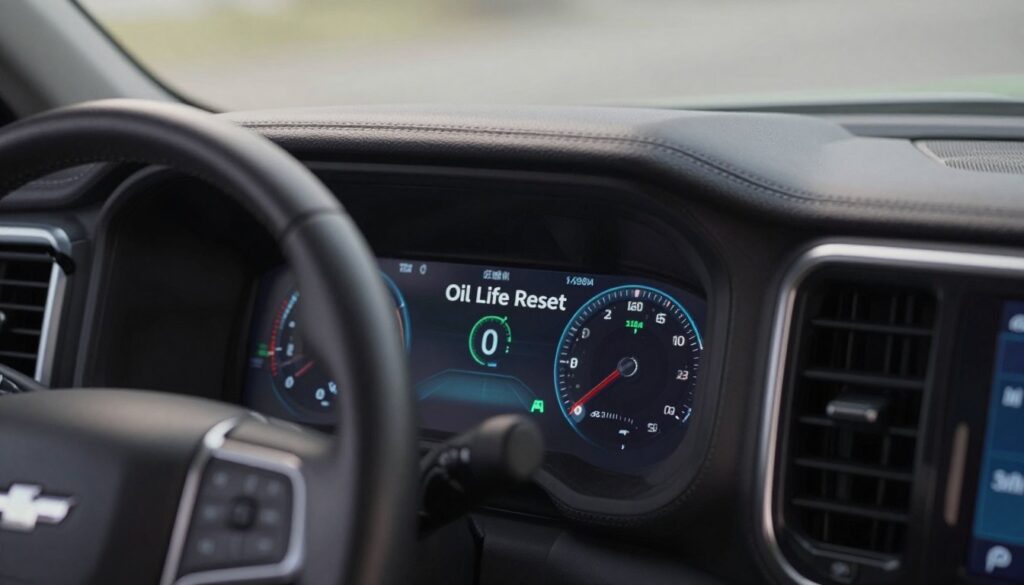
How to Reset Oil Life on Chevy Silverado
Follow a simple pedal-and-ignition routine that updates the maintenance display after service. The vehicle electronics must be on while the engine stays off for this process to register.
Before you start
Turn the ignition on with the engine off: move the key to the ON position or press the push button once without pressing the brake. Wait a second for the dash to stabilize.
Universal method
- Fully depress the gas pedal and release it.
- Repeat this action three times in a smooth rhythm.
- Complete those presses within five seconds.
Confirm and troubleshoot
Check the oil life readout; it should return to 100% and any oil light message should clear. If it does not, power cycle by turning the ignition off, wait a few seconds, then turn ignition back on and try the method again.
- Common mistakes: too slow presses, not pressing fully, wrong ignition position, or starting the engine.
- Best practice: only perform this after the oil change is finished and level is correct.
Model-Year Reset Methods Using the Instrument Cluster and Driver Information Center
Different trims use different controls, so pick the path that matches your truck. Some models include a Driver Information Center (DIC) with an on-screen information menu. Other trims rely on the instrument cluster stem or dial for the remaining oil readout.
Reset steps for models with a Driver Information Center menu
With ignition on and engine off, use the steering-wheel buttons to open the information or Info menu.
Scroll to “Oil Life” or “Remaining Oil Life,” then press-and-hold the center/OK wheel button. When the confirmation prompt appears, select Yes to clear the service reminder.
Reset steps using the instrument cluster stem or dial
For trims without a DIC, turn ignition to the ON position with the engine off.
Rotate or press the cluster stem until “Remaining Oil Life” shows. Hold the stem or dial until a reset prompt appears, then choose Yes.
Model-year notes and reliability check
2014–2018 and 2019–2021 trucks may use different button labels (check, OK, thumbwheel), but the method remains: navigate to the life screen → hold the confirm control → accept the prompt.
- 2015 example: rotate the cluster dial, hold the button, confirm Yes; readout should return to 100%.
- After any reset, turn the vehicle off and back on, then re-check the oil light and life screen to ensure the service reminder stays cleared.
Conclusion
Confirming the monitor’s status after fresh service prevents confusing reminders later. After every oil change, take a moment and clear the maintenance readout so the percentage and the dashboard light match the new interval.
Two reliable methods cover most trucks: the universal gas-pedal sequence or the menu-based option in the instrument cluster or DIC. Choose the one that fits your model and follow the steps calmly.
Success looks like a return to 100% for the oil life readout and no service message or light. Do this each time to keep tracking accurate across mileage and time, and reduce surprise alerts.
If the reset fails or the light returns, re-check that the service was completed correctly and consult the owner’s manual or a qualified technician for model-specific guidance.
FAQ
What is the quickest method for resetting the oil life after a service?
The common quick method for many Silverado models is with the ignition on (engine off). Press the accelerator pedal fully three times within five seconds. The instrument cluster should show a message or change the oil life percentage to 100% if successful. This works for key and push-button ignition trucks that use the pedal reset sequence.
Why must the oil life monitor be reset after an oil change?
The monitor calculates remaining service intervals using mileage, engine load and operating conditions. It can’t detect a manual oil change, so the system requires a reset to start a new calculation cycle and track engine oil condition correctly.
What does the oil life system track and what can’t it detect automatically?
The system tracks driving habits, engine temperature, stop-and-go time and mileage. It cannot detect actual oil quality or whether fresh oil and filter were installed. A manual reset ensures the display reflects the recent service.
When is the best time to perform the reset for accurate tracking?
Reset immediately after completing the oil and filter change, before you resume driving. This starts the monitor at full service life and ensures timing for the next change is accurate.
What should I do before attempting the reset on key and push-button models?
Turn the ignition to the ON position without starting the engine. For push-button vehicles, press the start button twice so the dash lights up but the engine remains off. Confirm the instrument cluster is active before using the pedal or menu method.
Can I use the gas pedal sequence on all Silverado model years?
Many model years support the pedal method—press the accelerator fully three times within five seconds with ignition on and engine off. However, some trims and newer models may prefer or require a menu-based reset using the Driver Information Center or instrument cluster controls.
How do I confirm the reset worked and the percentage returned to 100%?
Check the instrument cluster or Driver Information Center display for an oil life or service message. It should read 100% or show a confirmation message. If the dash still shows a service due message, retry the procedure or use the cluster menu method.
What if the pedal method fails to reset the indicator?
Common issues include not fully depressing the accelerator, slow timing, or ignition not in the correct ON position. Try again within the five-second window, ensure firm pedal presses, or use the instrument cluster menu reset steps specific to your model year.
How do I reset using the Driver Information Center menu on models with a DIC?
With ignition ON and engine off, use the steering wheel buttons to navigate the DIC. Find the Oil Life or Remaining Oil Life screen, press the select or set button, then choose Reset or Reset Oil Life and confirm. The display should return to 100% when complete.
What if my Silverado doesn’t have a DIC—how do I reset through the instrument cluster stem or dial?
For trims without a multi-function DIC, cycle the ignition to ON, press and hold the trip or reset button on the instrument cluster stem until the oil life indicator resets. Release when the display shows 100% or a confirmation message.
Are there differences for 2014–2018 and 2019–2021 Silverado controls I should note?
Yes. 2014–2018 models often use the pedal reset or a simpler cluster button. 2019–2021 trucks commonly feature updated DIC menus and steering wheel controls; their prompts and button names differ slightly. Follow the on-screen prompts or owner’s manual for exact button sequences for your year.
Will resetting the indicator affect the truck’s warranty or maintenance records?
Resetting the oil life indicator does not alter warranty status. Keep service receipts and records of oil changes. Electronic resets only update the onboard reminder; proper documentation supports warranty and resale value.
Can I reset the indicator more than once between oil changes?
You can perform the reset multiple times, but doing so without an actual oil change will cause incorrect service interval tracking. Only reset after a genuine oil and filter replacement to maintain accurate engine service monitoring.