
This introduction explains in clear terms how the BMW Parking Assistant and Parking Assistant Plus work in everyday U.S. use. The goal is practical: show what automatic parking does, where it helps most, and what you must still supervise.
The systems combine sensors and a camera to find a space, guide the car, and show onscreen prompts. In tight city parallel spots, crowded mall lots, and narrow driveways, the tech reduces low-speed stress and can help avoid minor dents and curb scrapes.
The standard parking assistant often meets most drivers’ needs. Upgrades like parking assistant plus or higher packages add automation but cost more. Some models add remote functionality; availability varies by market.
Remember: these are driver-assistance systems. You remain responsible for watching surroundings, pedestrians, and traffic while the system helps with the maneuver.
Key Takeaways
- The tech eases low-speed parking stress in U.S. urban and suburban scenarios.
- Standard systems often suffice; Plus upgrades add automation at extra cost.
- Sensors and camera work together to locate spaces and guide maneuvers.
- Remote features exist on select models; check availability for your market.
- Drivers must stay alert—these features assist, not replace, attention.
What BMW’s Parking Assistance Systems Do for Drivers Today
Advanced parking tech steps in during the most stressful low-speed driving moments. In dense curbside city streets, busy mall lots, tight apartment garages, and narrow suburban driveways, the system eases the hardest parts of a maneuver.
Where this helps most
The feature shines in close-quarters scenarios where judging distance is hard. It helps with curb catches, garage walls, and tight spaces around longer sedans and SUVs.
What “automatic parking” really means
Automatic parking is an assisted maneuver: the system steers and, in some modes, controls braking, acceleration, and gear shifts while you monitor surroundings.
- It does: guide steering into a chosen space and reduce minor bumps.
- It does not: replace the driver or pull the vehicle into moving traffic when exiting a space.
- Everyday benefit: fewer scrapes, less stress, and more confidence for drivers who rarely face tight spots.
Note: the standard parking assistant and the upgraded option share core functions but differ in camera coverage, surround views, and extra features.
BMW Parking Assistant and Park Assistant Plus: Key Differences
Start by looking at what both packages do the same, then note which extras change daily usability.
Core capabilities
- Both systems identify suitable spaces, guide steering, and assist with parallel and perpendicular maneuvers where supported.
- They rely on ultrasonic sensors plus a rearview camera to measure gaps and control the steering path.
- Each helps reduce curb strikes and minor scrapes in tight lots.
The assist plus layer brings multiple cameras for a 360-degree, top-down view. This gives clearer sightlines to curbs, blocks, and close obstacles.
Extras and Professional options
- Remote 3D View in the My BMW App helps check surroundings before you approach the car.
- Drive Recorder records incidents near the vehicle as an ownership feature.
- Parking assistant professional sits at the top of the lineup, adding remote control parking on compatible models; availability varies by model and region.
How BMW Parking Assistant Works Step by Step
Quick start: drive slowly in a lot and keep speed under 20 mph so the system can scan for spaces.
Activation requirements: press the Parking Assistant button when speed is below 20 mph. The feature begins scanning only at low speed and with normal driving conditions.
How scanning and measurement work
Ultrasonic sensors mounted in mirrors and bumpers measure gaps as you pass. The sensors estimate whether the vehicle fits with safe margins.
What you’ll see and hear
When a suitable space appears, a parking icon lights on the screen and an acoustic alert sounds to draw attention.
Starting the maneuver
Pull level with the space, stop as prompted, signal the side you want, then press and hold the button to initiate the automated sequence.
What the car controls and when to intervene
- Controls: steering is automated; depending on version, the car may also manage acceleration, braking, and gear shifts.
- Driver override: touch the wheel, press the brake, or cancel via the display to stop the maneuver instantly.
- Timing: the system takes a few moments to scan, then completes the move in small, deliberate adjustments rather than one smooth sweep.
Practical tip: watch for pedestrians, cart corrals, and low parking blocks that sensors can misread. Stay alert and ready to intervene at all times.
Parking Maneuvers Supported Beyond Parallel Parking
The tech extends its help to perpendicular spaces, not only tight parallel spots along streets.
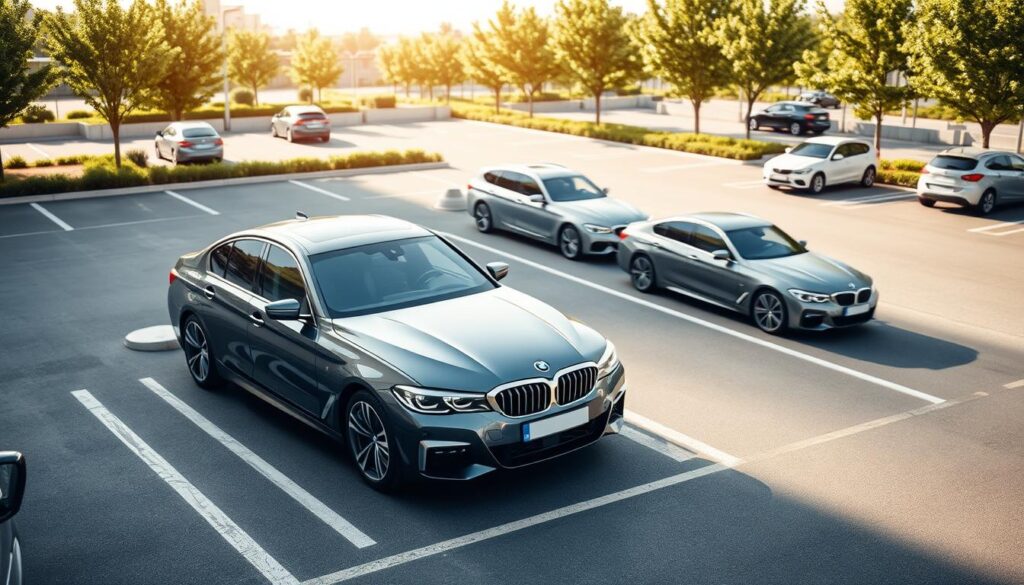
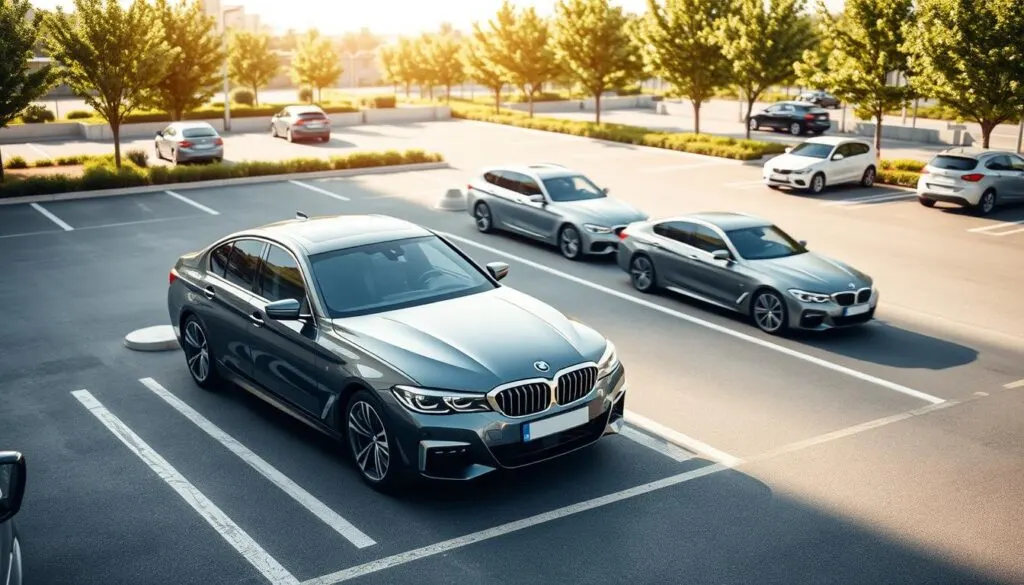
Parallel vs. perpendicular capabilities
Many models support both parallel parking and perpendicular maneuvers. Depending on the option level, the system can guide reverse-in moves or front-in entries for common lot layouts.
Perpendicular spaces in U.S. lots matter because lanes are often narrow and vehicles are larger. Obstacles like cart corrals and parking blocks make accurate steering important.
Front‑in confidence with camera visibility
Front cameras improve the last few feet of a forward entry. Owners report less anxiety when pulling into a space because the camera view shows curb and block distance clearly.
That camera help often prevents the nervous “bracing for impact” moment when a driver is new to a car’s length.
Leaving a space safely with park assist guidance
The park assist feature can steer the car to a point where you can drive out without further steering input. It will not, however, pull you out into active traffic on its own.
Drivers must check mirrors, watch for cross‑traffic, and verify pedestrians when exiting a driveway or lot. Exact maneuver availability varies by model year and option, so confirm features for your build.
- Supports parallel and perpendicular moves, depending on equipment.
- Front camera views help avoid parking blocks and low obstacles.
- Leaving a space: steer-to-point assistance, but driver remains responsible.
What’s Included in the BMW Parking Assistant Package
Owners receive a compact set of practical tools for tight, low-speed maneuvers. The package bundles proximity sensors, a rearview camera, mirror behaviors, route recall, and layered safety functions into one daily-use offering.
Active Park Distance Control (PDC)
PDC uses ultrasonic sensors in front and rear bumpers to detect obstacles. Audible warnings intensify as you close in, while visual bars on the screen show which side is nearest.
Rearview camera, mirrors, and on‑screen guidance
The rear camera adds dynamic guidelines that follow steering input. This improves visibility in tight spaces and complements the sensor beeps.
Mirrors can tilt downward when reversing, helping protect wheels from curb contact during a back-in entry.
Back‑Up Assistant route recall (up to 200 meters)
This feature can retrace the last forward path in reverse for up to 200 meters. It’s ideal for narrow driveways, tight alleys, or backing out of a constrained residential lane without continuous steering input.
Safety layers
Emergency braking may intervene to reduce low-speed impacts. Side protection monitoring helps cut down door-side scrapes and close-proximity contacts.
These are assistance tools; always check surroundings for children, pets, and fast-moving cross-traffic before and during any automated maneuver.
Inside Parking Assistant Plus Features: Surround View, Remote Views, and Drive Recorder
A full surround system combines multiple feeds into a single, driver-friendly overhead image. This stitched 360-degree view makes it much easier to judge curbs, poles, and parking blocks without craning to look out windows.
360-degree coverage and multi-angle cameras
Front, rear, and mirror-mounted cameras work together to reduce blind spots that sensors alone can’t fully explain visually.
The result: a bird’s-eye perspective that shows obstacles close to the vehicle and helps you steer precisely in tight lanes or narrow aisles.
Remote 3D View through the My BMW App
The Remote 3D View option lets owners check the scene around their car from a phone before returning to it.
This is handy when a neighbor parks close or you want to verify clearances in a crowded lot.
Drive Recorder and extra options
Drive recorder captures footage around the vehicle for peace of mind, incident review, or insurance evidence.
Some builds offer add-ons like Trailer Assistant as an extra option. That camera support helps when lining up a trailer for low-speed, precise positioning.
Who benefits most
- Drivers who want maximum visibility and less guesswork in tight spaces
- Owners who value recorded footage for documentation
- Anyone regularly navigating crowded lots or tight residential garages
Is Parking Assistant Plus Worth It in the United States?
Deciding whether the upgraded system pays off depends on how and where you park most days. Cost can be substantial since the package is often bundled into higher tech packs. For many buyers, the base parking assistant covers basic self-parking needs at far lower expense.
Cost-to-benefit considerations compared with the standard Parking Assistant
Think in practical terms: if you rarely face tight spaces, the extra cost may not justify the small gains. If you frequently navigate narrow garages or street-side spots, the added cameras and remote view save time and reduce stress.
Who benefits most from Plus and Professional upgrades
- Drivers who street-park often or use narrow home garages.
- Owners who value the front camera for avoiding low blocks and curbs.
- Those who need remote control parking—found in the parking assistant professional option on compatible models.
Reducing dents, scrapes, and curb or parking-block impacts
The tangible payoff is fewer bumper scuffs, fewer wheel/curb incidents, and less time fixing small damage. For new drivers to a long car, the extra view often repays the investment quickly.
Resale value considerations and option desirability over time
Camera-heavy packages and premium driver aids can make a used model more appealing in the U.S. market. If you plan to keep the car only a short time, weigh resale benefits against upfront cost. For long ownership, the comfort and fewer repairs often justify the choice.
Bottom line: choose the standard system if budget and simple lots define your routine. Opt for the upgrade when daily visibility and reduced parking risk matter most.
Conclusion
Choose the fit for your daily routine: the BMW parking assistant gives practical, everyday help, while the parking assistant plus adds cameras and extra convenience for tight, crowded areas.
Automatic parking remains an aid for low-speed maneuvers, not a substitute for driver attention. Expect to watch surroundings and be ready to intervene when leaving a space; the system will not drive you into traffic on its own.
To use it well: approach slowly, let the system scan, confirm the spot, signal the side, then press the button to start. For tight spaces, use park assist features and the added views for better confidence.
Buy the base system for core help and less cost. Choose the upgrade if visibility and fewer minor mistakes matter. Over time you’ll save time, stress, and small repair bills when parking in tight spaces.
FAQ
What does BMW Parking Assistant and Park Assistant Plus do?
These systems automate steering, braking and gear selection to help you enter and exit spaces. Core features scan for suitable spots, position the vehicle, and control steering during the maneuver while prompting the driver to change gears or press the brake as needed. The Plus package adds multi-camera views, remote monitoring and a drive recorder for extra situational awareness.
Where do these parking features help most in everyday U.S. driving?
They shine in crowded urban streets, tight mall lots, and narrow residential driveways. Use them for parallel curbside spots, compact perpendicular spaces and tricky garage entries. Systems reduce stress when visibility is limited or when precise wheel placement matters to avoid curbs and adjacent cars.
What does “automatic parking” actually handle, and what does it not do?
Automatic parking steers and controls speed during a programmed maneuver; it can also shift between drive and reverse on equipped vehicles. It does not replace driver responsibility: you must monitor surroundings, intervene if needed, and confirm the car’s path. Systems won’t predict every moving hazard or replace attentive driving.
What core self-parking capabilities do both systems share?
Both detect and measure potential spaces, guide steering for parallel and perpendicular spots, and provide on-screen prompts. Ultrasonic sensors and basic camera input give proximity alerts, audible warnings and suggested steering inputs to execute the maneuver reliably at low speeds.
What additional things does the Plus package provide with cameras and surround view?
The upgraded package adds a 360-degree bird’s-eye view, multiple camera angles, and a remote 3D view via a companion app. These features improve visibility around the vehicle, making it easier to assess tight spots, curb clearance and obstacles from outside the car.
How does Parking Assistant Professional and remote parking fit into the lineup?
The professional tier expands autonomy with advanced sensors, remote-control parking and more complex maneuver routines. Remote parking lets you position the vehicle from outside using the app or key fob—handy for squeezing into garages where exiting the vehicle would be difficult.
What are the activation requirements for the system to start a parking maneuver?
Activation generally requires low speed—typically under about 20 mph—engaging the parking function via a dedicated button, and using the turn signal or on-screen command to confirm the selected space. Specific prompts appear on the infotainment screen to guide you through each step.
How does the car scan and measure parking spaces?
The vehicle uses ultrasonic sensors and cameras to sweep potential spots while you drive slowly past them. The system measures length, width and clearance, then flags only those that meet the required dimensions for the selected maneuver type.
What will I see and hear on the screen when a spot is found?
The display highlights the detected space, shows recommended steering inputs, and lists required driver actions such as shifting to reverse. Audible chimes and beeps provide proximity warnings as the maneuver proceeds.
How do I initiate a parking maneuver with the button and turn signal?
Press the parking-assist button to start detection mode. When the system identifies a spot, tap the corresponding turn signal or select the spot on-screen to confirm. The vehicle then prompts you to follow any remaining instructions to begin the automated sequence.
What controls the car during automatic parking and when can I intervene?
The system controls steering and often speed; some models also handle gear changes. You remain responsible at all times and can interrupt the maneuver by braking, touching the steering wheel, or pressing an abort control. The system returns control to you immediately.
How do parallel and perpendicular parking capabilities compare?
Parallel routines focus on precise wheel placement and curb clearance, using multi-stage backing and forward motions. Perpendicular (front-in and back-in) maneuvers typically require less steering complexity but rely more on camera views for clearance and obstacle detection.
Can the car help with confident front-in parking using cameras?
Yes. Front-in assists combine front and surround cameras with guidance lines to help you align and stop with accurate bumper clearance. This reduces the risk of hitting low obstacles or parking too far forward.
How does the system assist when leaving a parking space?
Exit guidance helps by steering and guiding you out of tight spots while warning of cross traffic or nearby obstacles. Some features record a reversing route to aid safe departure from narrow driveways.
What sensors and alerts come with the standard package?
The baseline package includes Active Park Distance Control sensors that monitor proximity at the front and rear. They give visual and audible alerts for approaching objects to prevent low-speed collisions and curb strikes.
What role does the rearview camera and on-screen guidance play in tight spaces?
The rearview camera supplies live visuals and overlay guidance lines for accurate backing. Combined with mirrors and sensor alerts, the onscreen cues help you judge distance and steering inputs in constricted areas.
What is Back-Up Assistant and how far can it recall a route?
Back-Up Assistant records your recent low-speed steering inputs and can automatically reproduce that route in reverse, useful for leaving narrow driveways or garages. Typical recall distances reach up to around 200 meters, depending on the vehicle.
What safety layers protect during automated parking?
Multiple systems work together: automatic emergency braking, side obstacle monitoring and proximity alerts all intervene or warn if they detect imminent collision risks. These layers help prevent damage during automated maneuvers.
What does the surround view and multi-angle camera coverage include?
Surround systems stitch images from multiple cameras to create a bird’s-eye perspective plus selectable close-up angles. This coverage lets you inspect wheel-to-curb distance, adjacent lanes and the vehicle’s immediate perimeter.
How does remote 3D view through the app improve situational awareness?
The remote 3D view streams multi-camera images to your smartphone, letting you inspect the vehicle’s surroundings before entering. It’s useful for confirming clearances or checking for pedestrians and obstacles from a distance.
What does the Drive Recorder capture and how is footage used?
The drive recorder continuously or manually records video from exterior cameras. Footage can provide evidence after incidents, help diagnose parking close calls, and improve security when the vehicle is stationary.
Are there add-ons like Trailer Assistant available?
Some models offer trailer aids that assist in hitching and low-speed maneuvering with trailers. Availability depends on trim and model year, and it typically pairs with enhanced camera and sensor packages.
Is the Plus package worth it for U.S. buyers?
Consider lifestyle and typical parking environments. Urban drivers and owners of longer vehicles tend to gain the most from surround cameras and remote views. If you frequently navigate tight garages or crowded lots, the extra visibility often justifies the cost.
Who benefits most from Plus and Professional upgrades?
City dwellers, drivers with limited mobility, owners of large SUVs and those who park in tight or complex spaces will notice the biggest practical gains. Fleets and frequent parkers also value reduced repair costs from fewer scrapes.
Do these systems reduce dents, scrapes and curb impacts?
Yes. Enhanced sensor coverage and camera views lower the chance of minor collisions and curb damage by improving judgment and reducing blind spots during low-speed maneuvers.
How do these options affect resale value and desirability?
Well-equipped vehicles often command higher resale prices and appeal to buyers seeking convenience features. Surround cameras, remote functions and safety add-ons tend to retain value better than basic packages alone.